Stop Guessing Your Charger Wattage
Choosing a new charger should be simple, yet most of us end up guessing, overbuying, or putting up with slow charging. When you travel with a laptop, phone, tablet, earbuds, and a smartwatch, suddenly you are juggling a pile of power bricks and still hunting for free sockets. Getting the wattage right is what lets you charge everything quickly from as few chargers as possible.
When we talk about wattage, we are really asking how much power a charger can deliver at once. That number affects how fast your devices charge and whether you can run multiple devices at full speed from one wall socket. This is exactly why asking “what wattage charger do I need?” is worth doing before your next trip or gear upgrade.
Modern GaN chargers have made this question even more important, because they pack serious power into surprisingly compact bodies. As an Australian GaN charging brand, we focus on high output, travel-friendly chargers like our Zeus 280W GaN charger that can handle an entire setup in one small brick. In this guide, we unpack what 280W really means, how to match wattage to your devices, and how to build a smart, portable charging kit that actually fits your life.
You can explore more of our ecosystem of chargers and accessories at chargeasap.com.
What Does 280W Mean? Understanding Charger Wattage
To make sense of charger wattage, it helps to break power down into three basic terms:
- Volts: the “pressure” that pushes electricity through a cable.
- Amps: the “flow rate” of that electricity.
- Watts: the total power, which is volts multiplied by amps.
For everyday buying decisions, watts are the number to focus on. A higher wattage charger can deliver more power in total, which is what you need for fast charging and for running several devices at once.
So what does it mean when a charger is rated at 280W? A 280W GaN charger can output up to 280 watts of power in total, shared across its ports. It does not blast 280W into a single device by default. Instead, it intelligently divides that total power based on what each connected device asks for.
With a multi‑port charger, you might see:
- One USB‑C port capable of feeding a laptop 100W or more.
- Another USB‑C port delivering 30W to your phone.
- A third port handling a tablet at 30W.
- A remaining port or two giving lower wattage to accessories like earbuds.
The combined draw is what matters. A simple, single‑port charger gives everything to one device, which is fine for a single laptop. A higher wattage multi‑port charger lets you keep laptop, phone and tablet all charging quickly at the same time from one wall socket, which is why powerful GaN chargers have become favourites with travellers and remote workers. If you want a compact example of this approach, the Zeus 280W GaN charger is built specifically for multi‑device charging.
Match Your Devices to the Right Charger Wattage
Before buying a new charger, you want to know what each device actually needs. The easiest places to check are:
- The label on your existing laptop charger.
- The specs page for your laptop, tablet or phone.
- The “maximum USB‑C charging wattage” in device documentation.
As a rough guide, typical requirements look like this:
- Phones and wireless earbuds: about 18 to 30W per device is usually enough for fast charging.
- Tablets: often 20 to 45W depending on size and brand.
- Ultrabooks and smaller laptops: commonly 45 to 65W.
- High-performance or gaming laptops: 90 to 140W or more.
Your charger needs to at least match the highest wattage device you own. If you plug a power‑hungry laptop into a low-wattage charger, it will often still charge, but slowly, and sometimes not at all while you are working hard on it.
Consider a remote worker carrying:
- A laptop that can draw up to 100W.
- A phone that supports 30W fast charging.
- A tablet that can take around 30W.
- Earbuds or a smartwatch that use much less.
If you only ever charge two things at once, a 140W‑class charger might be fine. If, in reality, you often plug in everything at the airport or in a hotel, something in the 140 to 200W range starts to make more sense. A power user or creative professional with a more demanding laptop, maybe even a second laptop, plus extra gear, is the sort of person who genuinely benefits from a 280W GaN charger like Zeus.
Having extra wattage is about headroom. It gives you flexibility to:
- Charge multiple devices at full speed.
- Add new, more powerful gear later.
- Avoid constantly shuffling plugs to see what will charge properly.
Why GaN Changes the Game for Travel Chargers
GaN, short for gallium nitride, is a newer semiconductor material that is more efficient than older silicon. It runs cooler, which means it can move more power through smaller components without turning your charger into a little heater brick.
For travellers and remote workers, that has some very practical benefits:
- Size and weight: a high wattage GaN charger can be smaller and lighter than many older, lower power laptop bricks.
- Heat and efficiency: less energy is wasted as heat, so your charger stays more comfortable to touch and performs well even when several ports are in use.
- Port flexibility: multiple USB‑C and often USB‑A ports, with smart power distribution that shifts wattage depending on what you plug in.
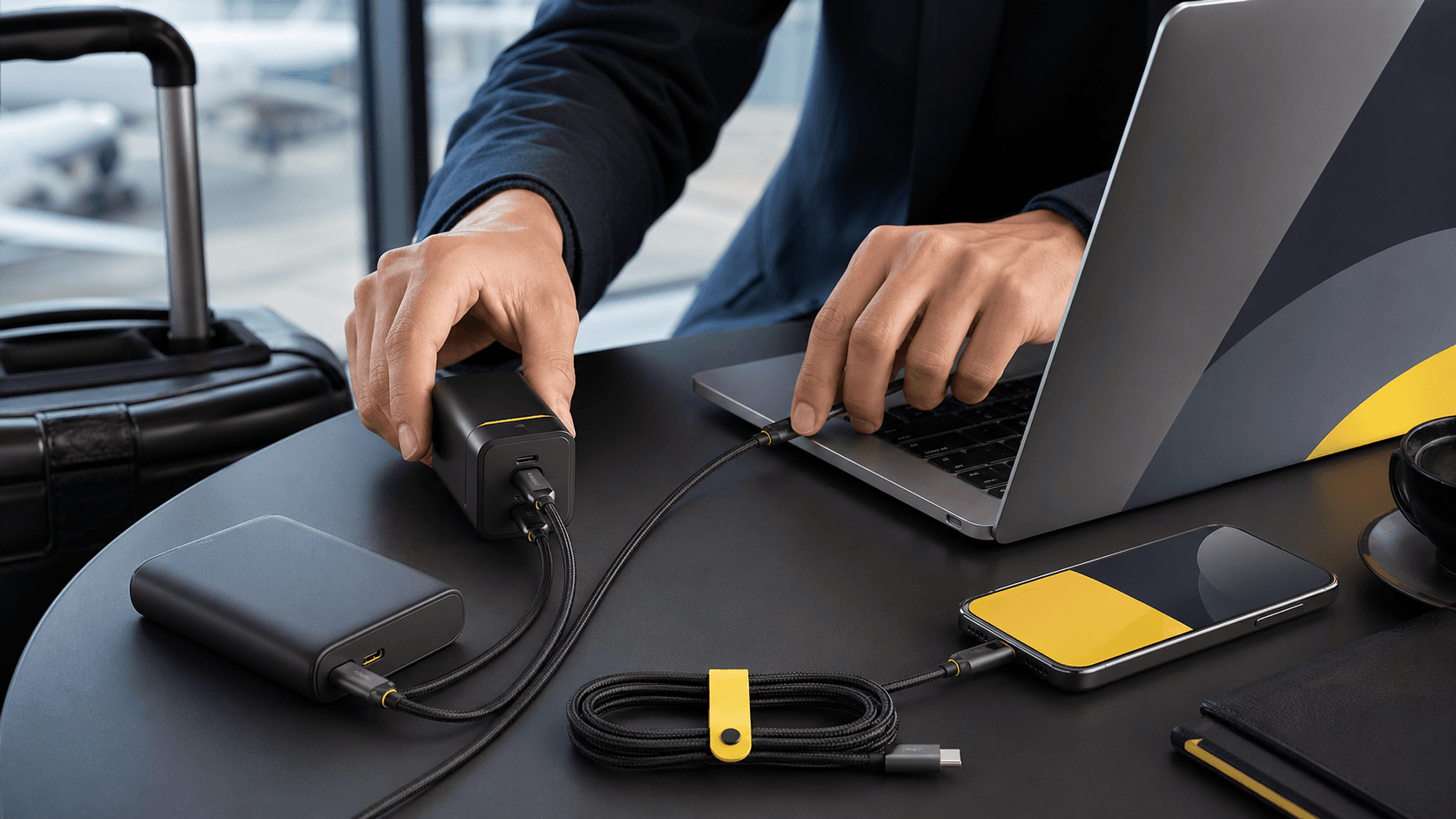
If you are working from cafés, airports or co‑working spaces, wall sockets are often limited. Instead of carrying three or four separate chargers for laptop, phone, tablet and accessories, a single high‑output GaN charger can sit on the table and quietly cover everything. The Zeus 280W GaN charger is a good example of that approach, giving you one compact hub instead of a tangle of bricks and adapters.
Building a Smart Charging Kit for Life on the Move
Wattage is only part of the story. Your cables and power banks also decide how fast and safely your devices can charge.
With USB‑C cables, pay attention to:
- Power rating: look for cables rated for 100W or 240W for laptops and other high‑draw devices.
- Quality: short, well‑made cables tend to be more reliable than very long, very cheap ones.
- Matching: a powerful charger still needs a high‑rated cable to actually deliver that power to a laptop.
Power banks have wattage limits too. A bank that only outputs 18W is great for phones, but will struggle with most laptops. If you want to top up a notebook on the go, look for a bank that clearly supports 65W or 100W USB‑C output.
A simple, effective packing list for frequent travellers might include:
- One high wattage GaN travel charger, such as a 280W model that can run your full setup.
- Two or three good USB‑C cables, at least one rated to 100W or higher.
- One USB‑A cable if you still have older accessories.
- A laptop‑friendly power bank for those times when there is no socket at all.
At Chargeasap, we think in terms of that whole ecosystem, so your charger, cables and power bank all work together instead of holding each other back.
How to Choose with Confidence and Avoid Overkill
If you want a simple way to make the right choice, use this three‑step process:
- Step 1: List your devices and note their maximum charging wattage.
- Step 2: Be honest about how many you usually charge at the same time.
- Step 3: Pick a charger whose total wattage comfortably covers that number, with a bit of spare capacity.
Two common worries often come up. First, people ask if a powerful charger will harm their devices. Modern USB‑C and GaN chargers use smart protocols where the charger and device negotiate how much power to use. Your phone only draws what it is designed for, regardless of how high the number on the charger is.
Second, is 280W “too much”? In practice, that extra capacity is about convenience. It means you can plug in more devices without thinking, lend a port to a friend, or upgrade to a heavier‑duty laptop later without replacing your charger.
A 280W GaN charger like Zeus makes the most sense if you:
- Own a high‑draw laptop, or even two laptops.
- Regularly charge a laptop, phone, tablet and other accessories at the same time.
- Travel often and want one compact charger that covers almost anything you throw at it.
By taking a few minutes to understand wattage and your own habits, you can buy a charger once and rely on it across devices, trips and upgrades, without lugging a bag full of bricks everywhere you go.
Power Your Devices Smarter and Faster Today
If you are ready to tidy up your charging setup and cut down on bulky adaptors, our 280W GaN charger is built to handle your everyday and high-performance devices with ease. At Chargeasap, we have focused on delivering serious power in a compact unit that fits neatly on your desk or in your bag. Make the switch now to streamline your charging, reduce clutter and keep all your tech ready to go when you need it.