Gear That Will Not Get You Pulled Aside at Security
A digital nomad charging setup should make travel easier, not land you in the extra screening line. Long flights, short layovers, and tight connections are hard enough without someone emptying your tech pouch onto a plastic tray. If your bag is full of random bricks, tangled cables and mystery adaptors, security officers are much more likely to take a second look.
Chargers, power banks and cable clutter all show up as dense, messy shapes on the X-ray. When there are lots of small blocks stacked together, or batteries with no clear labels, staff need extra time to figure out what they are. That is when bags get pulled aside and trays get opened.
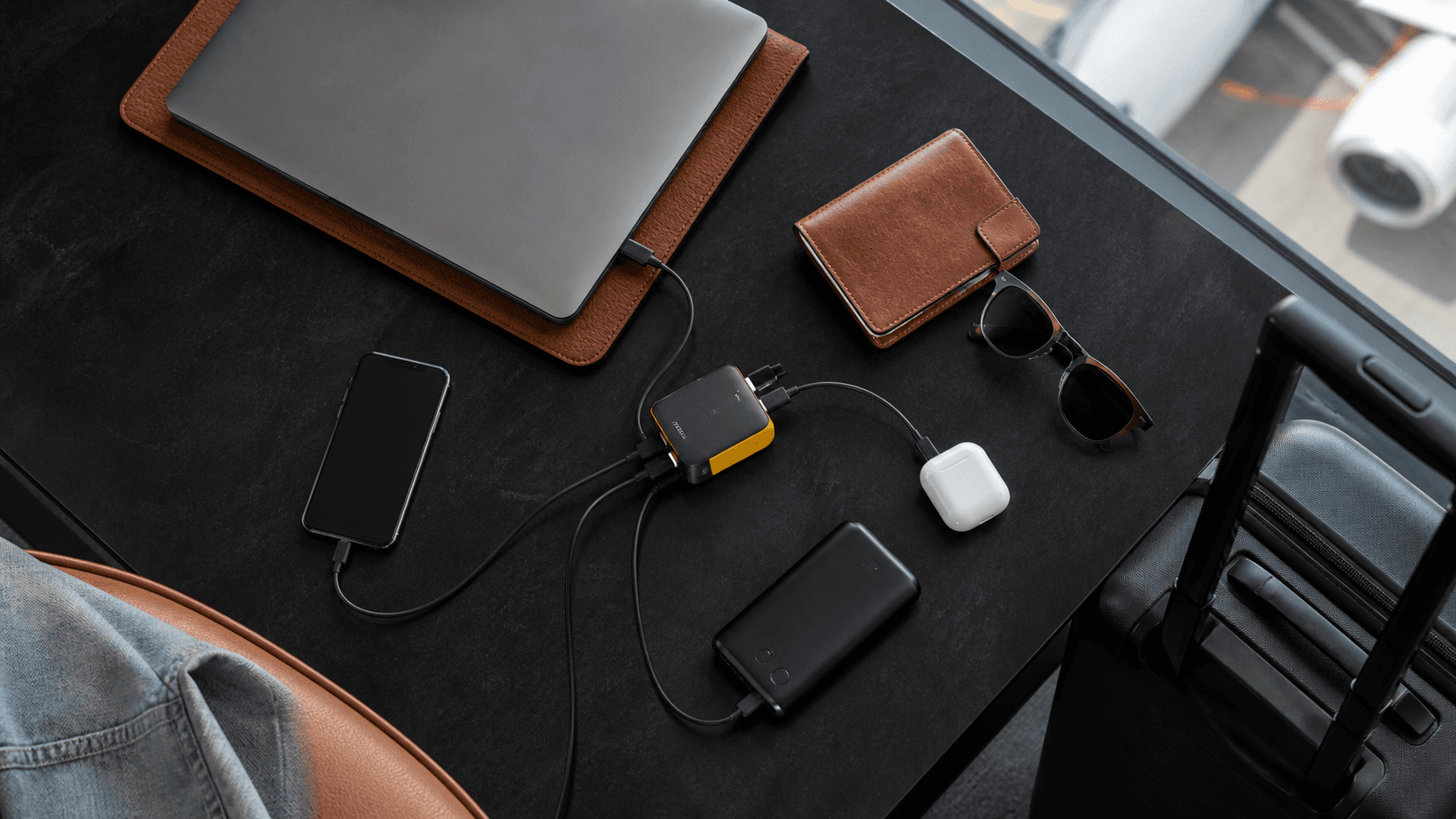
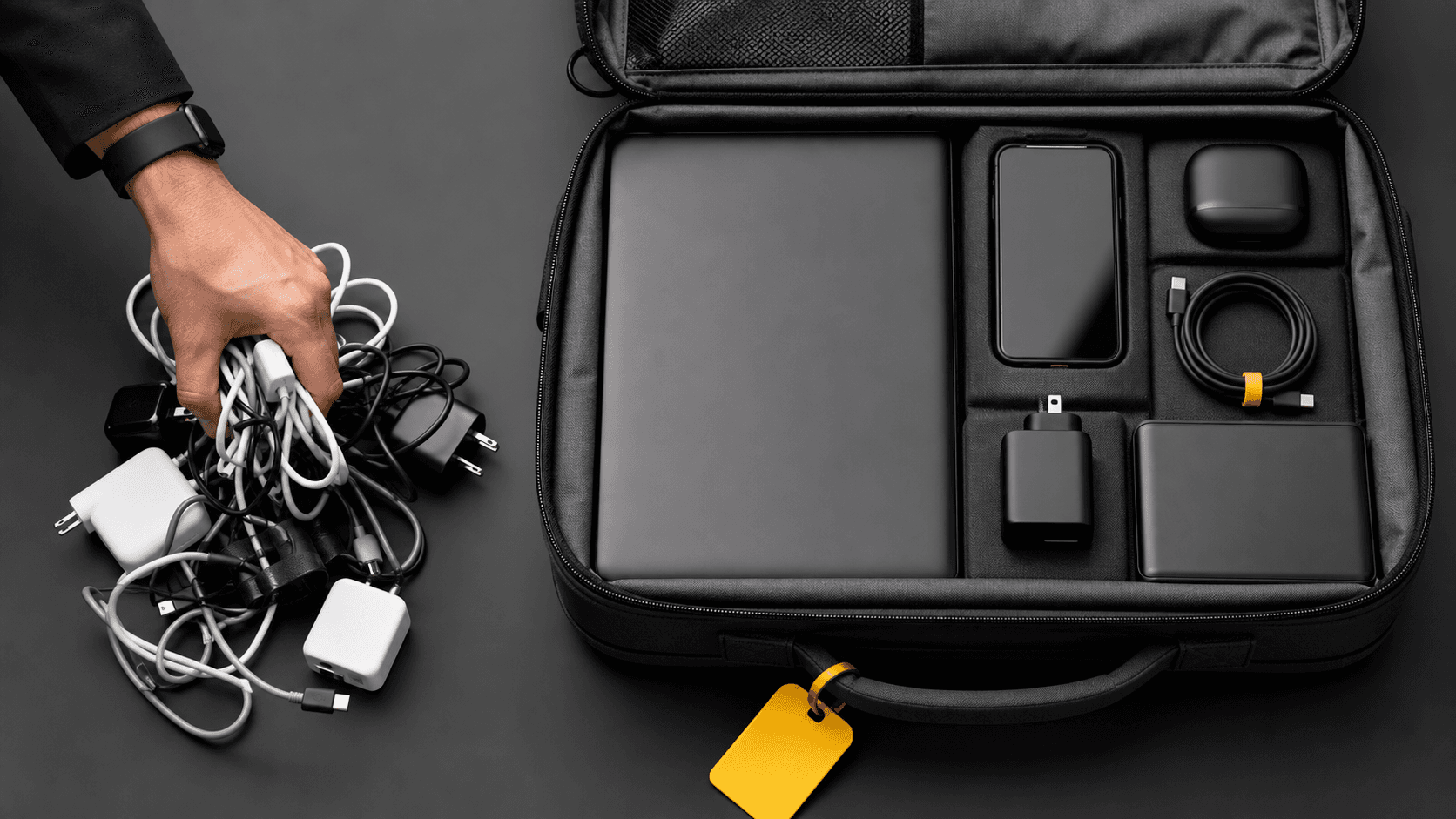
A cleaner answer is a streamlined kit. Fewer chargers, clearly labelled cables and gear that looks organised and legitimate from the first scan. Modern GaN chargers help a lot here. Because GaN hardware is more efficient, one compact unit can replace several old laptop bricks and phone chargers. A high-power GaN charger like the Zeus 280W GaN charger can take the place of a pile of random adaptors, so security sees one clear item instead of a mess. You can explore more travel-ready charging gear at Chargeasap.
What Border Security Actually Cares About in Your Charger Bag
Security staff are not hunting for tech lovers. They are looking for anything that looks unsafe or unclear. Your goal is to make your electronics look boring and easy to read.
On the X-ray, they pay extra attention to:
- Very dense blocks of electronics
- Large batteries, especially if they are stacked or hidden
- Tangled bundles of cables that make it hard to see what is what
- Homemade-looking gear, exposed wires or devices with damage
Power banks are a special focus. Airlines set limits using watt-hours, written as Wh on the label. Many carriers allow power banks up to a certain Wh rating in your carry-on, and they often ban big loose batteries in checked bags. When your power bank has:
- A clear Wh label
- A known capacity that fits normal airline rules
- No cracks, bulges or taped-up ends
it is much less likely to trigger questions. Unlabelled or oversized bricks are the ones that get stopped.
Multi-port GaN chargers actually make life easier here. On an X-ray they show up as one solid, tidy device, similar to a laptop charger but often smaller. Compare that to three or four random wall warts and adaptors spread through your bag. A single, clearly branded high-power GaN charger, such as the Zeus 280W GaN charger, reads as one understandable object, not a pile of mystery blocks, which helps you glide through checks.
Building a Digital Nomad Charging Setup That Flies Through Checks
A smart digital nomad charging setup is simple, light and obvious to anyone looking at it for three seconds. You do not need a charger for every device, you need a small set of strong, flexible tools.
A good minimalist kit usually looks like this:
- One powerful multi-port GaN travel charger
- One or two compact, airline-safe power banks
- Three or four high-quality USB-C and magnetic cables
- A small bundle of plug adaptors for different countries
GaN, or gallium nitride, matters because it is more efficient than the old silicon tech inside many traditional bricks. In plain terms, it wastes less energy as heat, so the charger can be smaller while still pushing high power. That is how a 280 W GaN charger can replace several laptop and device chargers in one pocket-sized block. A good example is the Zeus 280W GaN charger, which is designed to be a single hub for multiple devices.
For many travellers, a simple combo is ideal:
- A 280 W GaN travel charger as your main hub for laptop, tablet and phone
- A smaller USB-C PD (Power Delivery) power bank for top ups in airports, trains and cafes
- One or two magnetic cables to protect your device ports and reduce cable wear
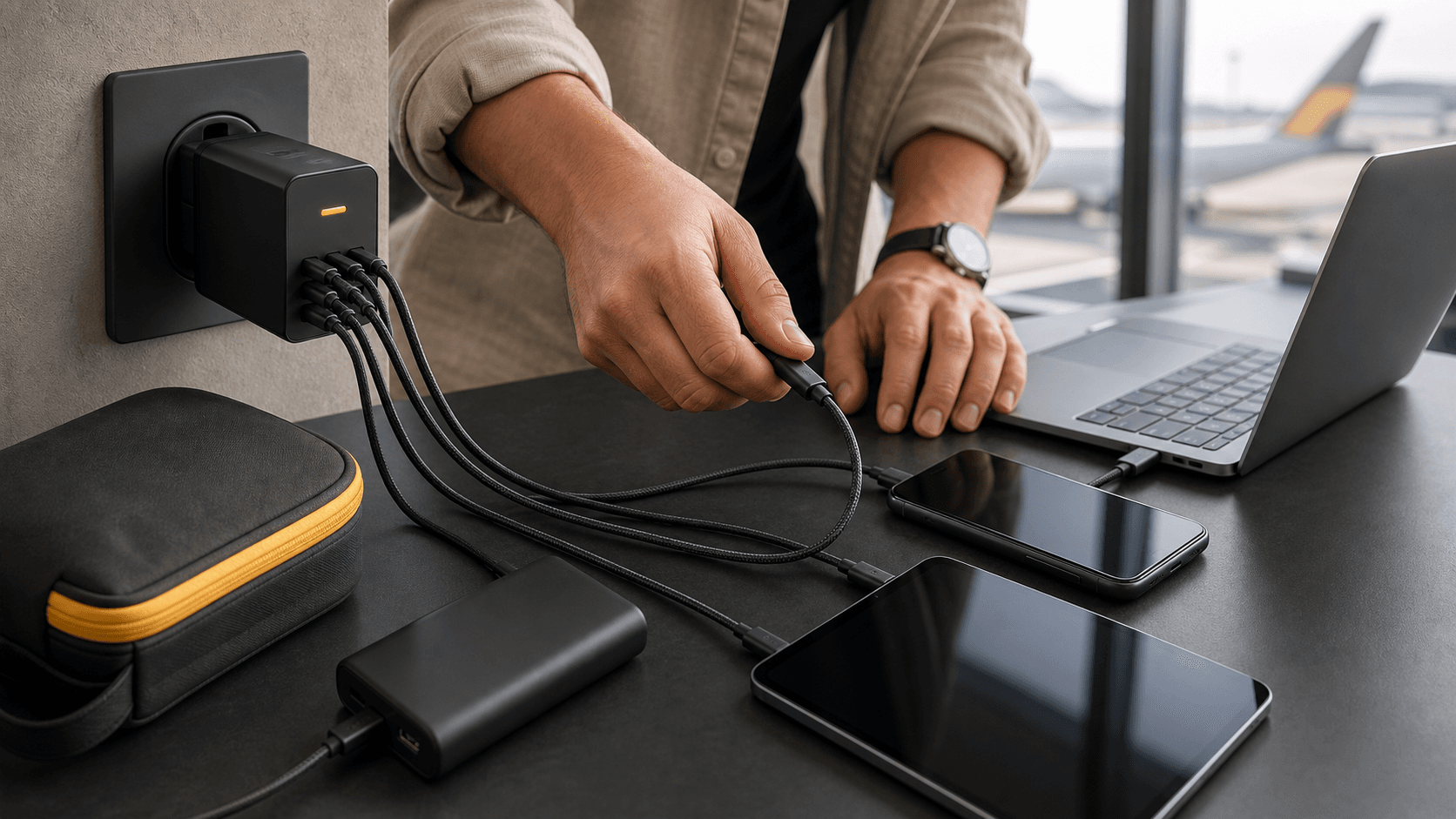
That mix keeps your bag light but still lets you charge a laptop, phone, earbuds and maybe a tablet from a single wall socket when you reach your stay. A compact, multi-port GaN unit like the Zeus 280W GaN charger fits this role well.
Packing Your Power So It Looks Boring (in a Good Way)
How you pack your kit matters almost as much as what is in it. The same gear can look suspicious or completely normal, depending on layout.
Aim to make your tech pouch look like a clear diagram:
- Use one separate pouch for chargers and cables
- Place your main GaN charger along one side in a straight line
- Lay power banks flat, not stacked on top of each other
- Coil each cable and wrap it with a small band or tie
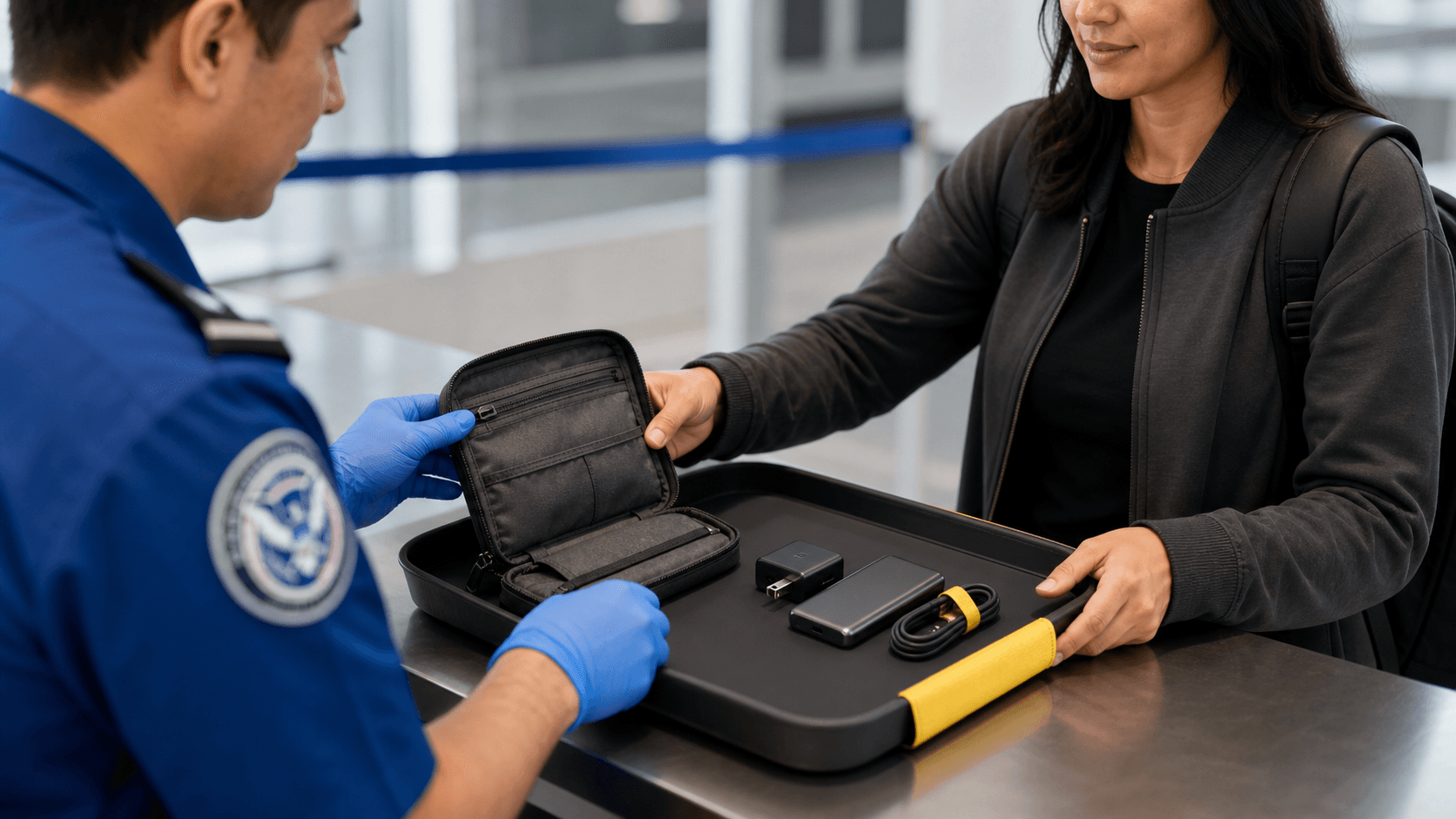
This way, when your pouch goes through the scanner, staff can instantly see: here is the charger, here are the batteries, and here are the cables. No hidden layers, no knots, no surprise shapes.
It also helps to label or colour code your cables. For example, a small tag or bit of tape to mark USB-C to USB-C, USB-C to Lightning or USB-C to USB-A. Keep all metal connectors covered with caps or tucked into pockets so nothing looks damaged or rough. The more your kit looks like a neat tool roll, the less anyone feels the need to open it.
Using one main GaN travel charger instead of several random wall warts makes trays faster to set up. You drop one clear charger and one or two power banks in the tray, run the pouch through, then repack in seconds. There is also less chance you will forget a charger back at the checkpoint when you only have one main unit to remember. A compact multi-port option like the Zeus 280W GaN charger is built for exactly this kind of streamlined packing.
Future Proofing Your Charging Kit for Multi Country Hops
As the northern hemisphere heads into summer and shoulder seasons, more people start stringing together complex routes with lots of layovers. That means more security checks and more chances for a messy tech bag to slow you down.
The good news is that USB-C is becoming the default charging port across laptops, tablets, phones and accessories. Building a USB-C-first kit keeps things simple. Instead of carrying country-specific laptop bricks, you can run:
- One high-power USB-C GaN charger
- A short set of USB-C cables for all main devices
- One slim set of plug adaptors for outlet shapes
A 280 W multi-port GaN charger like the Zeus 280W GaN charger can handle mixed loads without drama. You can plug in a laptop, phone, earbuds and a tablet at the same time from a single wall outlet, then just swap the plug adaptor when you land in a new region. The charger stays in your pouch, your cables stay the same, and you only change the small piece that touches the wall.
That cuts weight, bulk and confusion, while keeping you within airline and airport rules across different countries.
Lock in a Lighter, Smarter Charging Routine Before Your Next Flight
A clean, efficient charging kit is about more than saving a bit of space. When your setup is simple and obvious, security checks are calmer, packing is faster and your devices stay powered from the airport lounge to the hostel desk or coworking space.
At Chargeasap here in Australia, we build our gear for exactly this style of travel. For most digital nomads, a smart checklist looks like this: one powerful GaN travel charger such as the Zeus 280W GaN charger, one or two clearly labelled, airline-safe power banks, three to four quality USB-C or magnetic cables and a slim international plug adaptor set. Take an evening this week to empty your tech pouch, remove duplicate bricks and old cables, and rebuild around a single high-watt GaN hub. Your future self in the security line will be very glad you did.
Power Your Remote Lifestyle With A Smarter Travel Kit
If you are ready to simplify your tech on the road, our team at Chargeasap has put everything you need into one streamlined digital nomad charging setup. Cut the clutter in your bag, keep all your devices powered safely and spend more time focusing on your work and adventures. We design our gear to handle life on the move, so you can charge fast, travel light and stay connected wherever you are.